
Diese Anleitung erklärt die BLF-Listenfunktion für Fanvil SIP-Telefone und bietet eine schrittweise Konfiguration auf dem BroadWorks-Server und der Telefon-Web-Benutzeroberfläche.
Dieses Dokument beschreibt die BLF List-Funktion von SIP-Telefonen und deren Verwendung durch Konfiguration von BroadWorks und des Telefons. Alle Telefonmodelle, einschließlich BX3S, BX4, BX5S, BX6, BX7, BX7C, GP210, GP210i, BXU-Serie, BC600, BD900, unterstützen diese Funktion mit der gleichen Konfigurationsmethode.
BLF (Busy Lamp Field / Beleuchtetes Feld für Beschäftigtenstatus) ermittelt den Anrufestatus einer Nebenstelle durch Abonnement. Wenn Sie eine BLF-Nummer auf einer DSS-Taste konfigurieren, ändert sich die LED-Anzeige, wenn sich der Status der überwachten Nebenstelle ändert. Eine BLF-Taste überwacht nur eine Nebenstelle. BLF List ermöglicht die Überwachung mehrerer Nebenstellen auf einmal. Der Benutzer konfiguriert eine Liste zu überwachender Nummern auf dem PBX-Server, und das Telefon ordnet sie automatisch DSS-Tasten zu. Die LED-Anzeigen werden aktualisiert, wenn sich der Status einer der überwachten Nebenstellen ändert. BLF List ist eine Gruppenabonnementfunktion zur Stapelüberwachung. Die BLF List-Funktion erfordert die Zusammenarbeit zwischen dem SIP-Telefon und dem PBX-Server. Überprüfte kompatible PBX: BroadSoft BroadWorks, Fortinet FortiVoice, VoipSwitch. Andere PBX, die BLF List unterstützen, funktionieren möglicherweise ebenfalls. Diese Anleitung verwendet BroadWorks als Beispiel.
1. Melden Sie sich bei der Web-Konfigurationsoberfläche von BroadWorks an.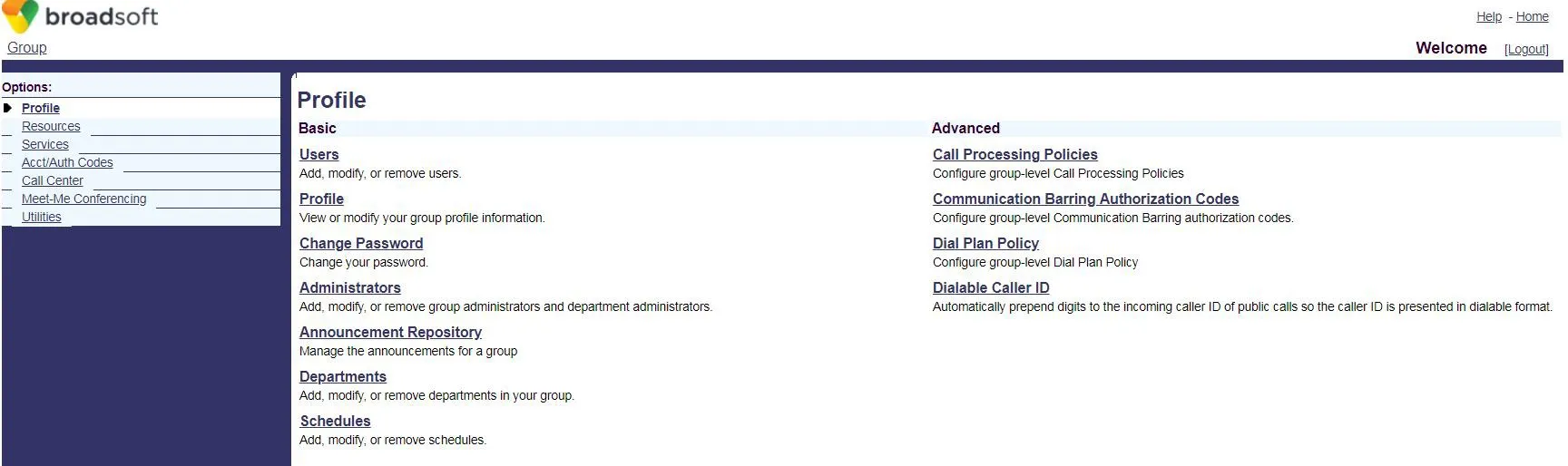 2. Klicken Sie auf Users, um zur BroadSoft-Kontoauswahlseite zu gelangen.
 3. Wenn Konten vorhanden sind, klicken Sie auf Search, um die Liste anzuzeigen. Wählen Sie ein Konto (z. B. FanvilUser1) aus und fahren Sie mit Schritt 5 fort.
Wenn keine Konten vorhanden sind, klicken Sie auf Add, um ein neues zu erstellen (Schritt 4).
3. Wenn Konten vorhanden sind, klicken Sie auf Search, um die Liste anzuzeigen. Wählen Sie ein Konto (z. B. FanvilUser1) aus und fahren Sie mit Schritt 5 fort.
Wenn keine Konten vorhanden sind, klicken Sie auf Add, um ein neues zu erstellen (Schritt 4).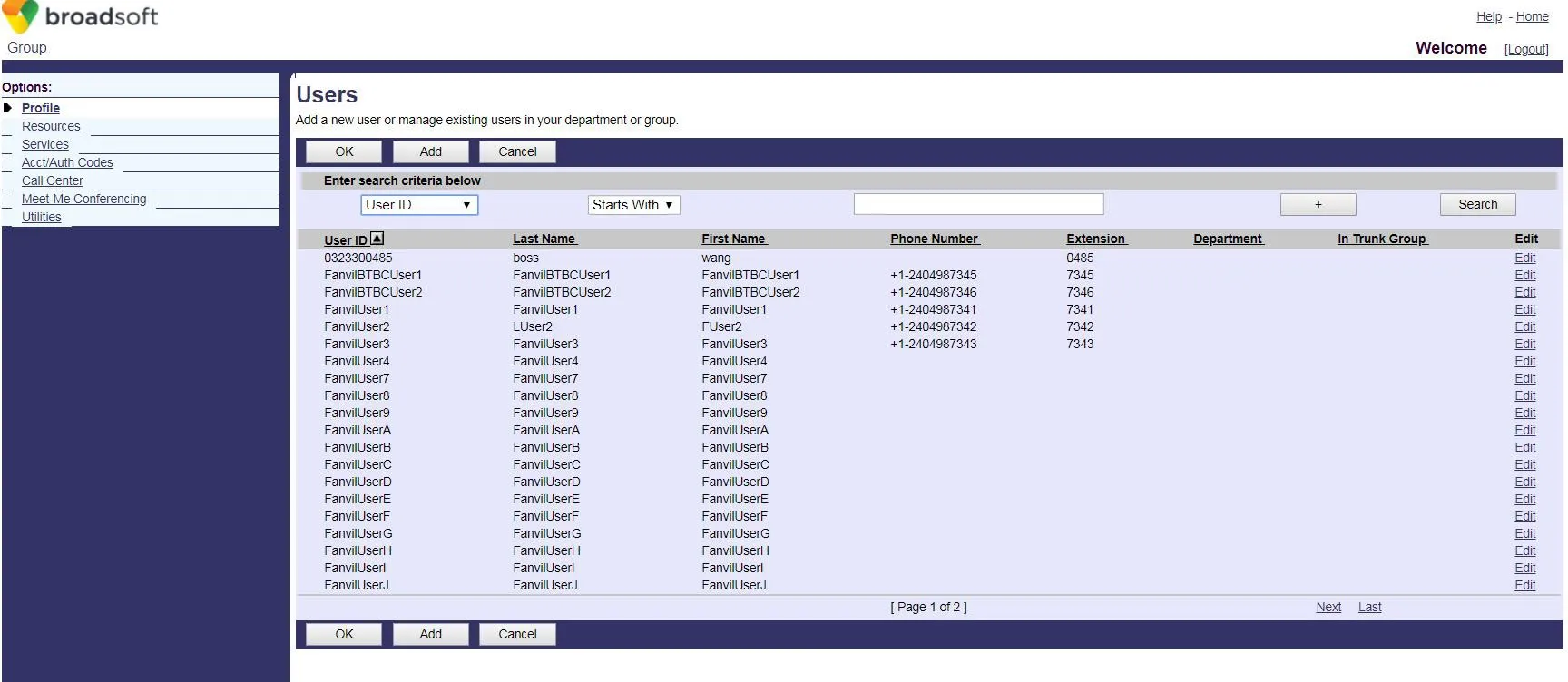 4. Erstellen Sie ein neues BroadWorks-Konto.
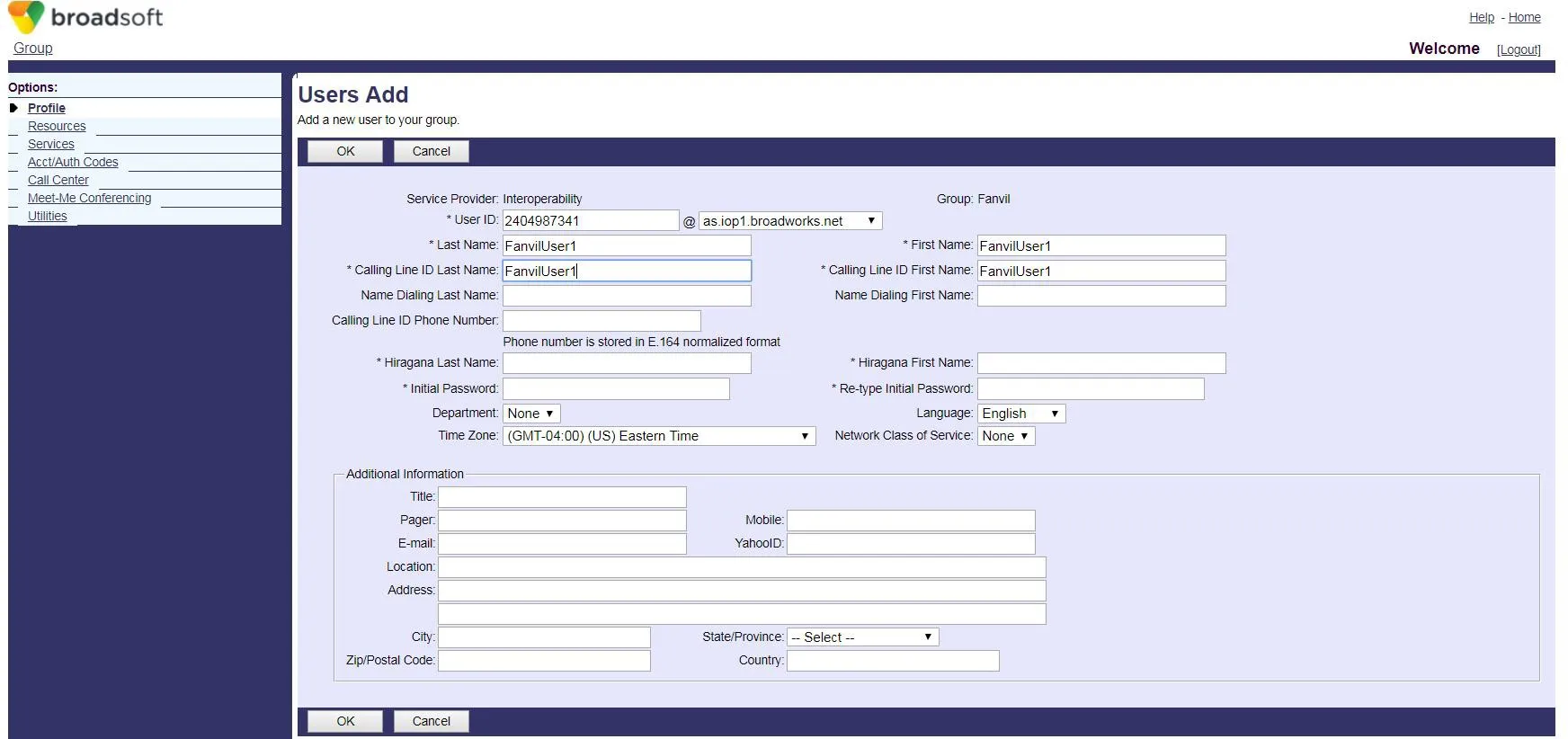 5. Rufen Sie die Konfigurationsseite des ausgewählten Kontos (FanvilUser1) auf.
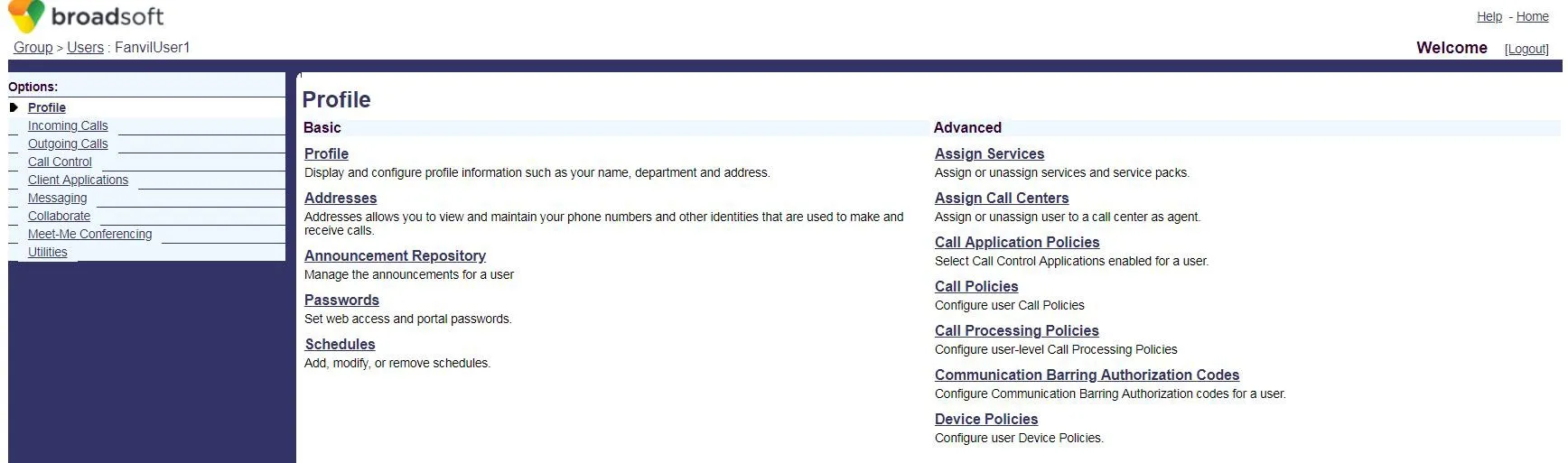 6. Klicken Sie auf Client Applications.
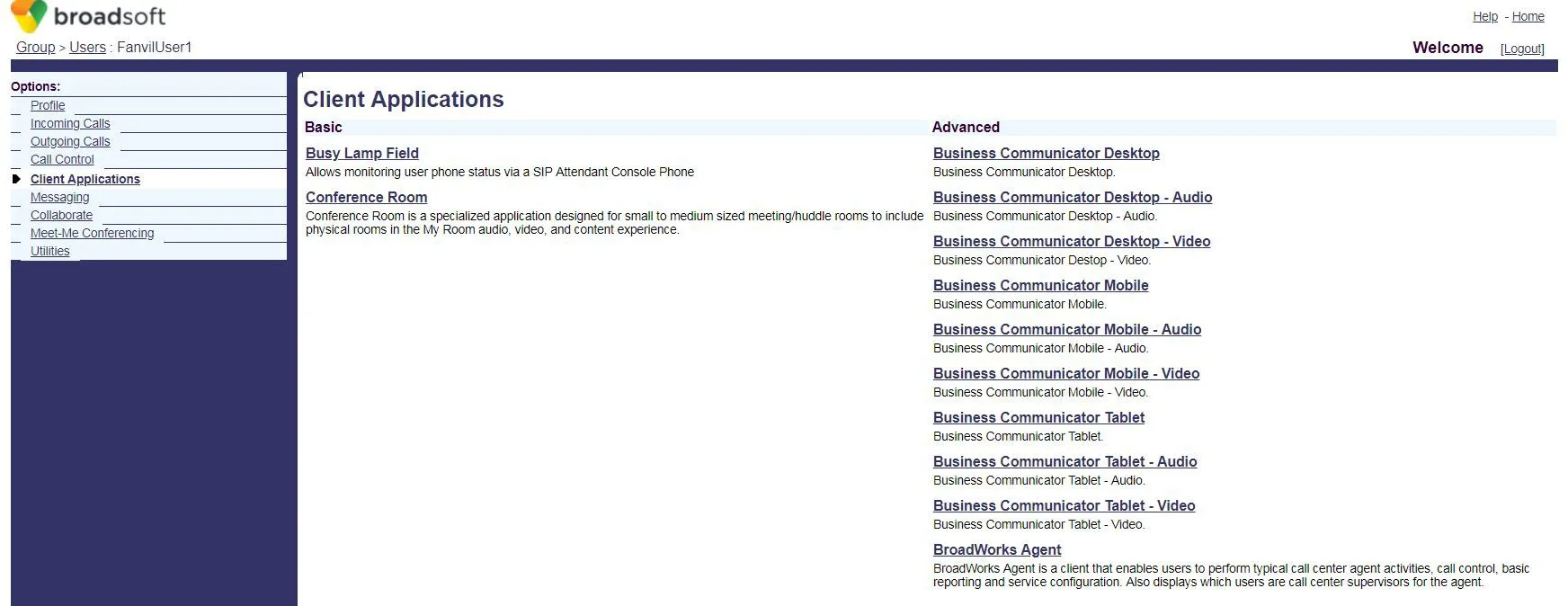 7. Klicken Sie auf Busy Lamp Field, um die BLF List-Konfigurationsseite zu öffnen.
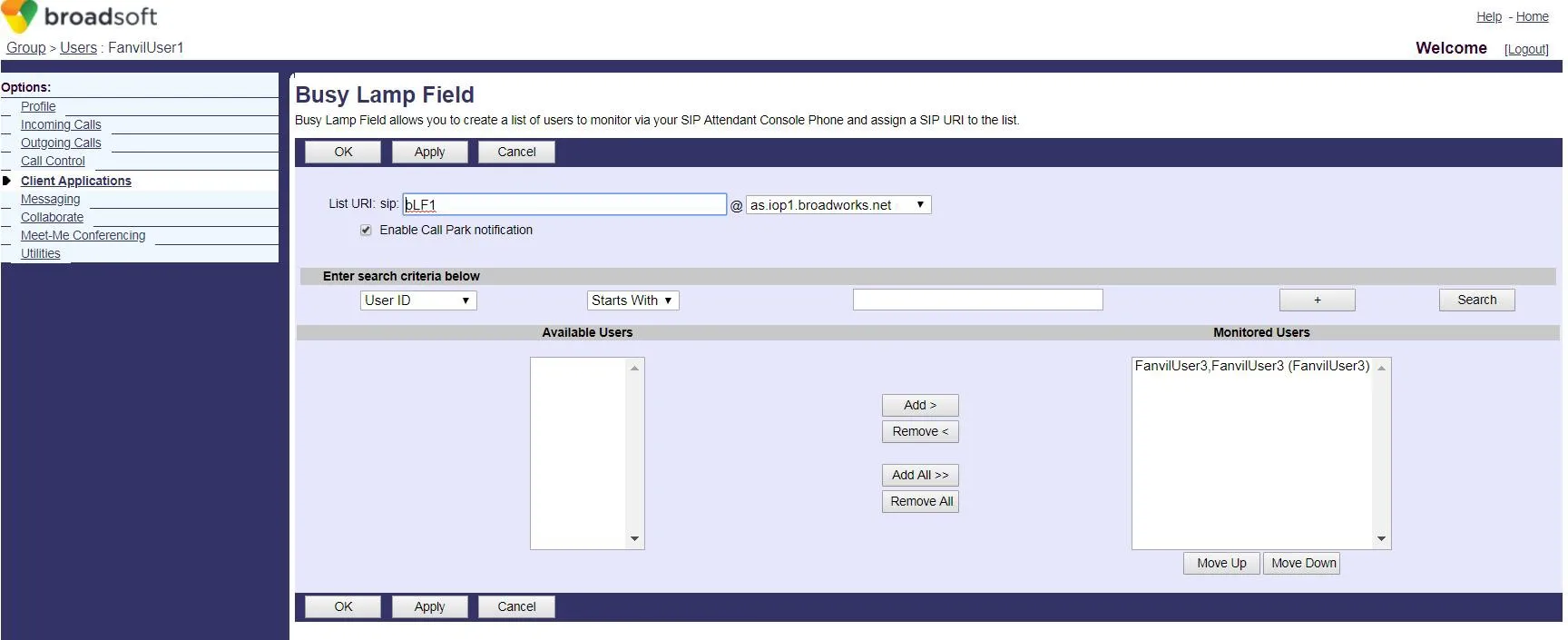 8. Geben Sie eine List URI ein (z. B. blf1). Dieser Wert muss mit der BLF List-Nummer auf dem Telefon übereinstimmen.
Klicken Sie auf Search, um verfügbare Nebenstellen anzuzeigen.
Verschieben Sie gewünschte Nebenstellen in die Überwachungsliste und klicken Sie dann auf OK, um zu speichern.
8. Geben Sie eine List URI ein (z. B. blf1). Dieser Wert muss mit der BLF List-Nummer auf dem Telefon übereinstimmen.
Klicken Sie auf Search, um verfügbare Nebenstellen anzuzeigen.
Verschieben Sie gewünschte Nebenstellen in die Überwachungsliste und klicken Sie dann auf OK, um zu speichern.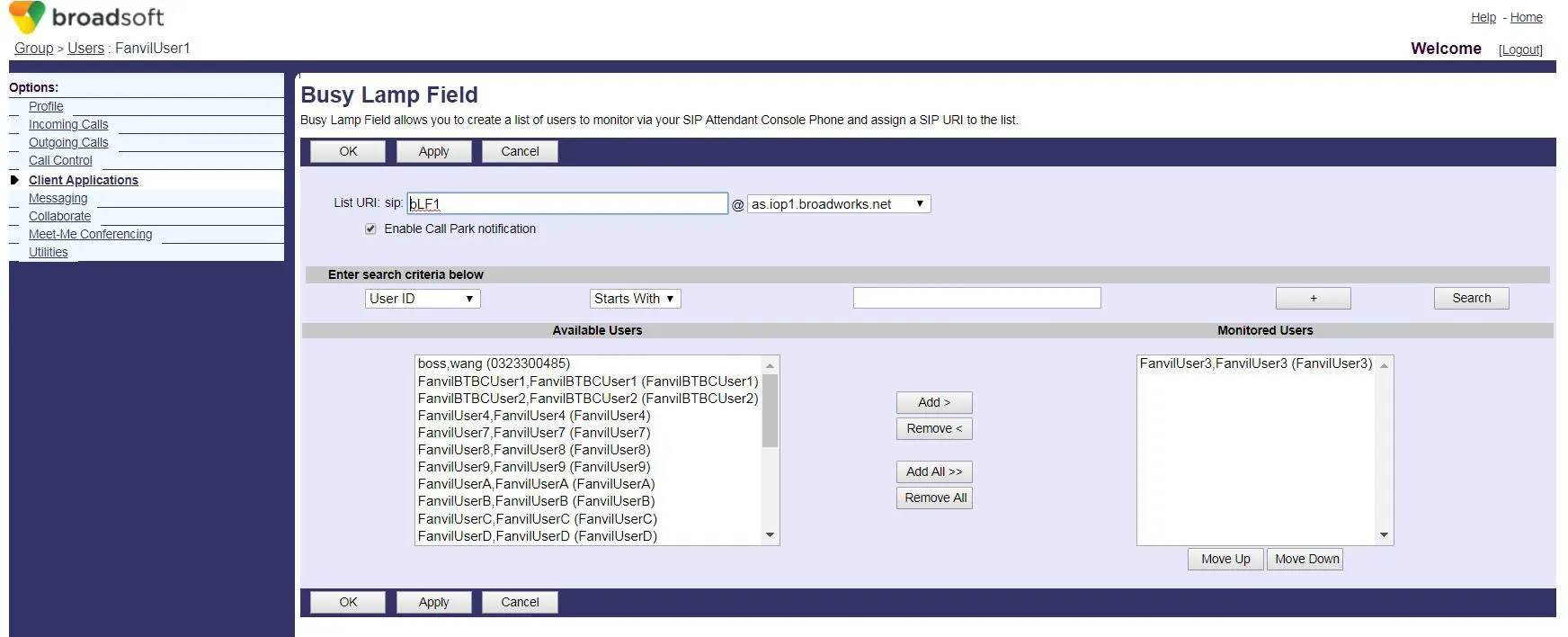 9. Melden Sie sich bei der Web-Oberfläche des Telefons an (Standard-Benutzername/Passwort: admin).
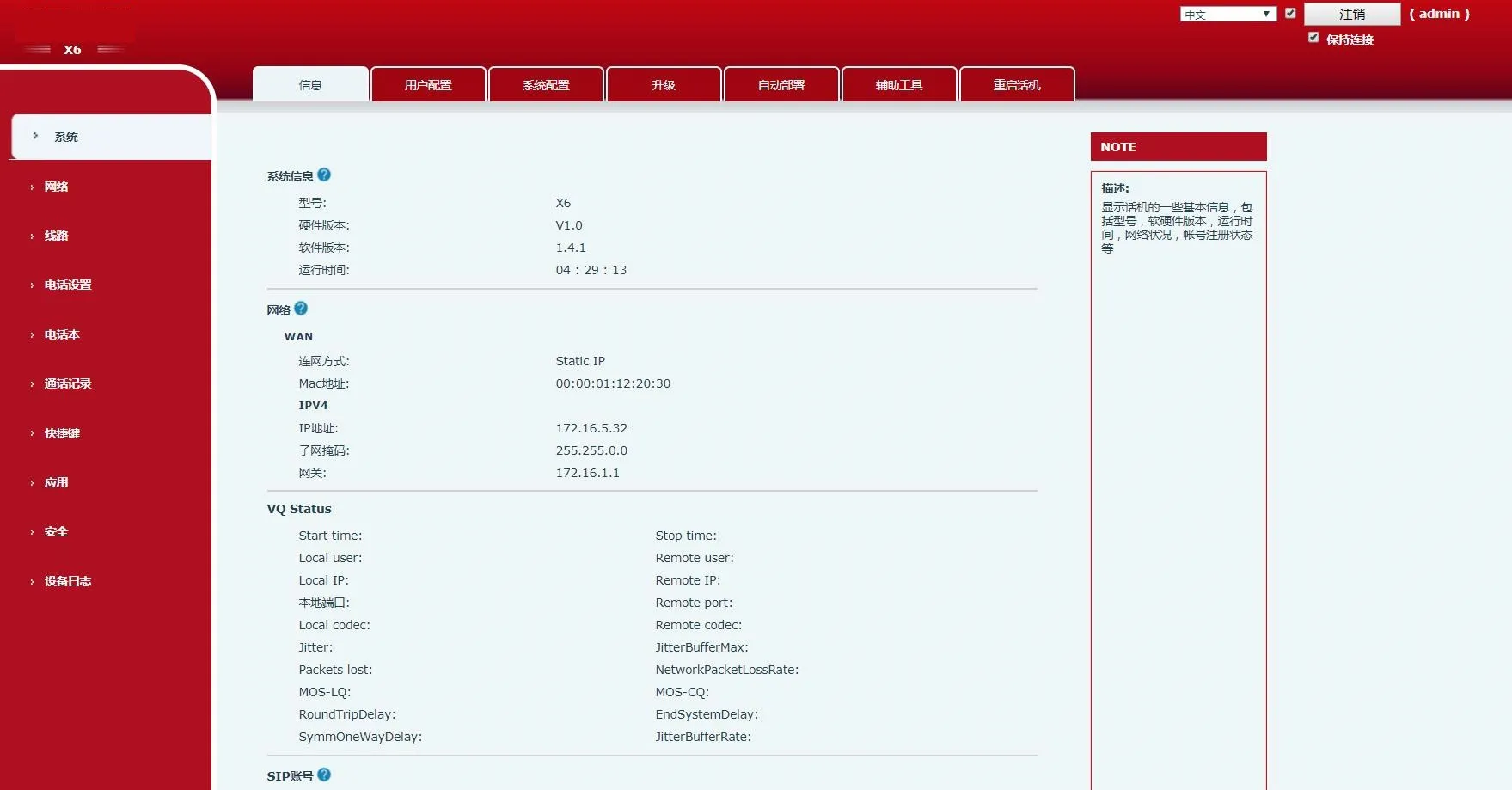 10. Gehen Sie im linken Menü zu Shortcuts.
Stellen Sie den Typ der DSS-Taste auf BLF List ein. Jede Taste wird einer überwachten Nummer zugeordnet.
Wenn die Liste mehr Nebenstellen als BLF List-Tasten enthält, weist das Telefon sie DSS-Tasten mit dem Typ Keine zu.
Klicken Sie auf Apply, um zu speichern.
10. Gehen Sie im linken Menü zu Shortcuts.
Stellen Sie den Typ der DSS-Taste auf BLF List ein. Jede Taste wird einer überwachten Nummer zugeordnet.
Wenn die Liste mehr Nebenstellen als BLF List-Tasten enthält, weist das Telefon sie DSS-Tasten mit dem Typ Keine zu.
Klicken Sie auf Apply, um zu speichern.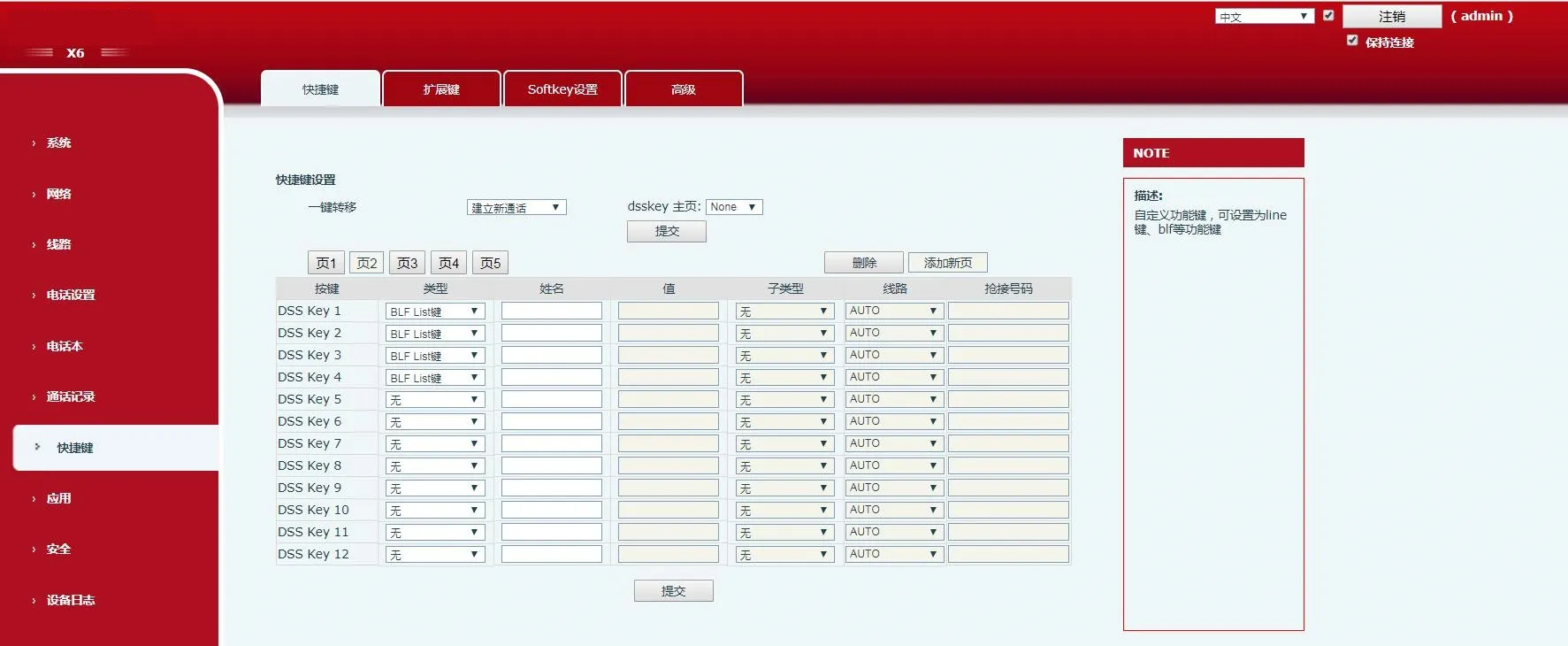 11. Gehen Sie im linken Menü zu Line.
Konfigurieren Sie das BroadWorks-Konto (FanvilUser1) für die entsprechende Telefonleitung.
11. Gehen Sie im linken Menü zu Line.
Konfigurieren Sie das BroadWorks-Konto (FanvilUser1) für die entsprechende Telefonleitung.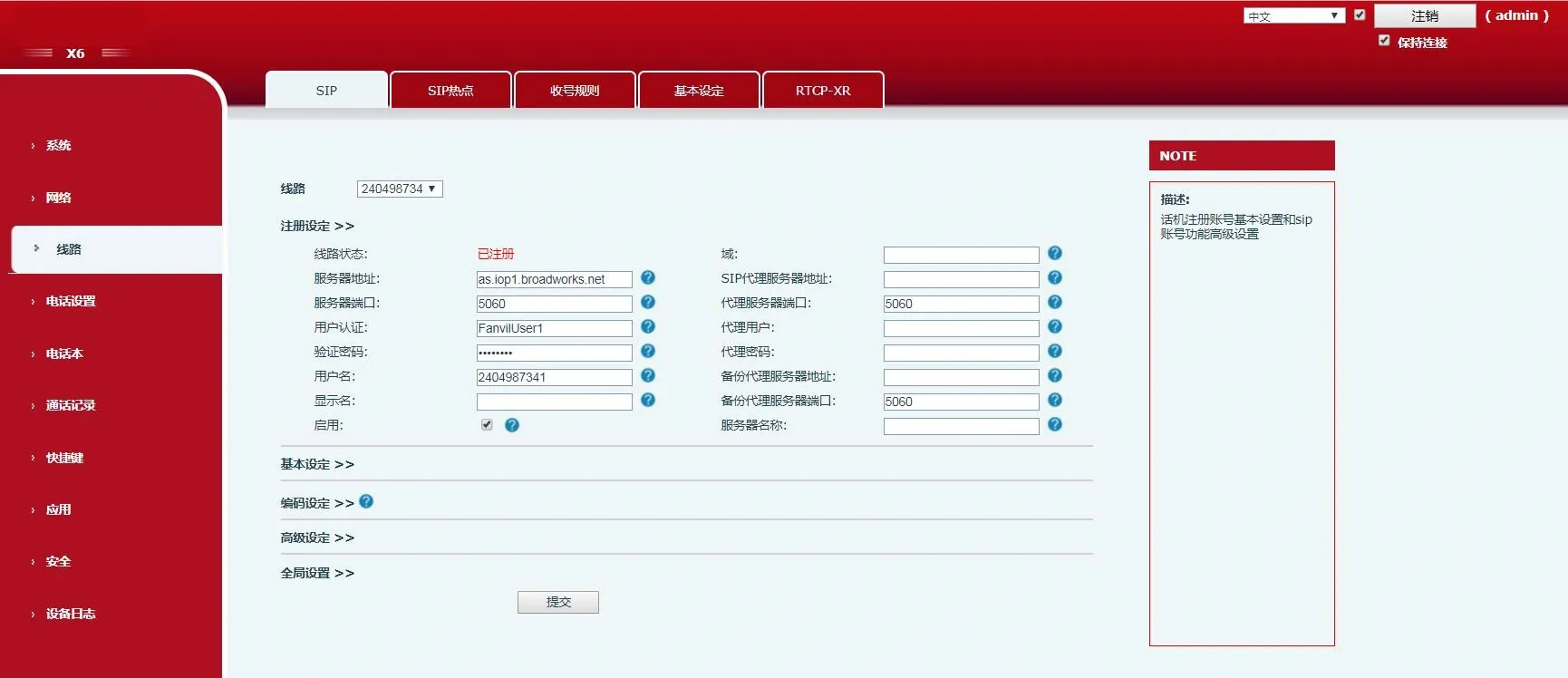 12. Gehen Sie zu Advanced Settings → Erweiterte SIP-Einstellungen.Aktivieren Sie BLF List und geben Sie die BLF List-Nummer ein (identisch mit der List URI aus Schritt 8).
Klicken Sie auf Submit.
Stellen Sie sicher, dass das Konto FanvilUser1 erfolgreich registriert ist. BLF List ist jetzt konfiguriert.
12. Gehen Sie zu Advanced Settings → Erweiterte SIP-Einstellungen.Aktivieren Sie BLF List und geben Sie die BLF List-Nummer ein (identisch mit der List URI aus Schritt 8).
Klicken Sie auf Submit.
Stellen Sie sicher, dass das Konto FanvilUser1 erfolgreich registriert ist. BLF List ist jetzt konfiguriert.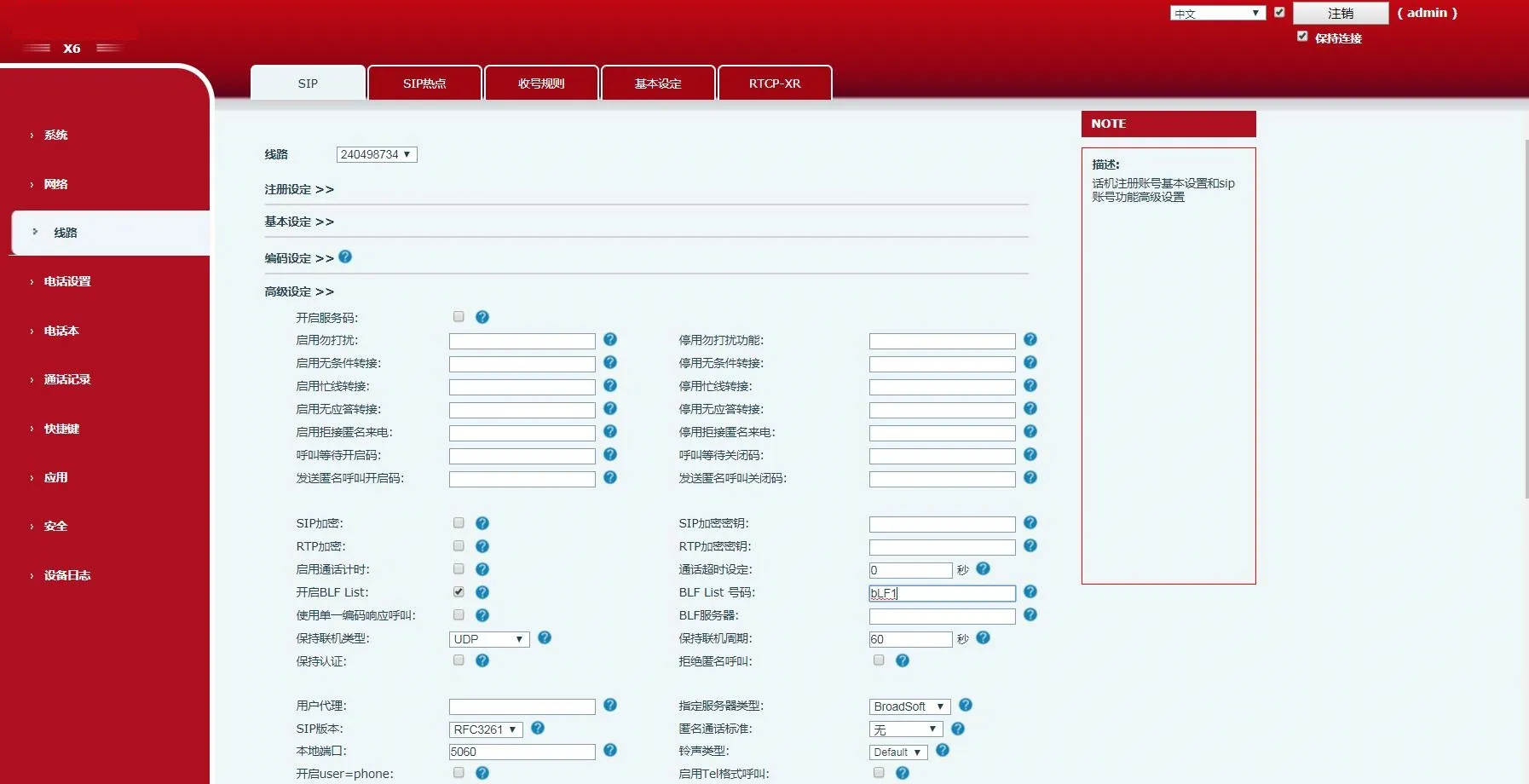 13. Überprüfen Sie die DSS-Tasten-LEDs am Telefon.
Dauerleuchtende LED bedeutet erfolgreiche Konfiguration.
Tätigen Sie einen Anruf an die überwachte Nebenstelle – die entsprechende LED ändert ihren Status.
13. Überprüfen Sie die DSS-Tasten-LEDs am Telefon.
Dauerleuchtende LED bedeutet erfolgreiche Konfiguration.
Tätigen Sie einen Anruf an die überwachte Nebenstelle – die entsprechende LED ändert ihren Status.