IP-Telefon: Erstellen, Bearbeiten, Importieren von benutzerdefinierten Klingeltönen und Konfigurationsanleitung

Erstellen, Bearbeiten, Importieren von benutzerdefinierten Klingeltönen und Konfigurationsanleitung

Unterstützte Geräte

Die folgenden Modelle unterstützen das Upgrade benutzerdefinierter Klingeltöne: BX5S/BX6/BX7/BX7C/GP210/GP210i/BX4U/BX5U/BX6U und C600.

  • C600 (Android): Unterstützt jede MP3-Datei als benutzerdefinierten Klingelton.

  • Andere Modelle: Unterstützen nur den Import EINER benutzerdefinierten Klingelton-Datei.

Anforderungen an das Klingelton-Dateiformat

Von BX3S/BX4 unterstütztes Format: 8K/16K 16-Bit lineare Abtastungen; 8K/16K 8-Bit u/A-law Abtastungen

  1. Abtastrate: 8K/16K

  2. Auflösung: 16-Bit/8-Bit

  3. Format: Linear/u/a-law (*.wav)

  4. Maximale Dateigröße: 500KB (das Telefon kürzt automatisch, wenn die Größe überschritten wird)

Von BX5S/BX6/GP210/BX7 unterstütztes Format: 8000/16000Hz, 16-Bit

  1. Abtastrate: 8K/16K

  2. Auflösung: 16-Bit

  3. Format: *.wav

  4. Dauer: ~30s, Dateigröße < 256KB

Klingelton erstellen

Audio-Editor installieren (CoolEdit2.1)

Führen Sie das Installationsprogramm aus, klicken Sie auf accept, dann auf continue.
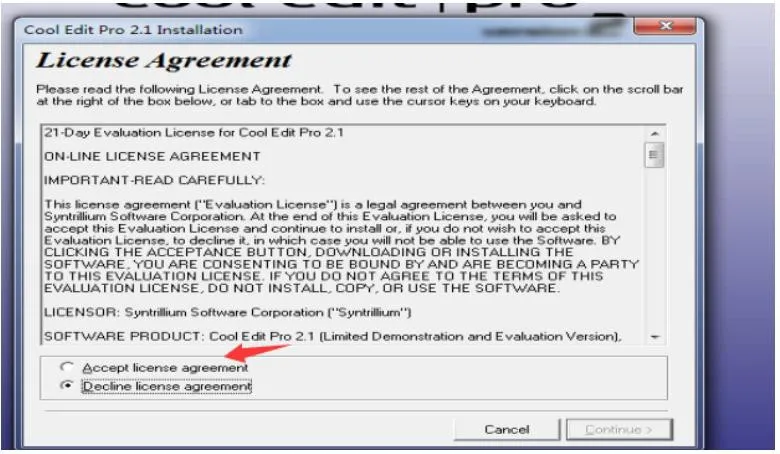
CoolEdit2.1 Installationsoberfläche

Klicken Sie auf Next, Sie können den Standardinstallationspfad verwenden.
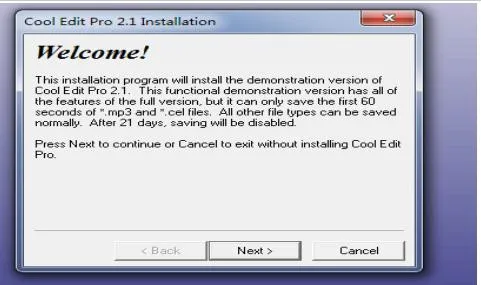
Installationspfad auswählen

Nach Auswahl des Pfads klicken Sie auf Next, dann auf exit, wenn die Installation abgeschlossen ist.
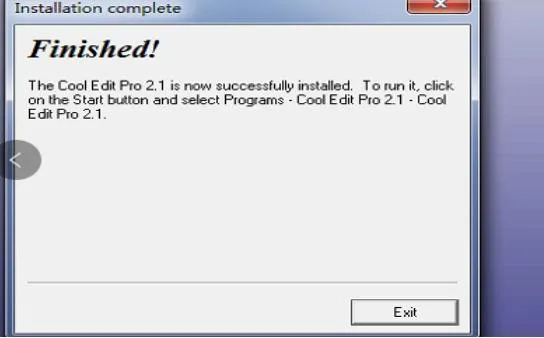
Installation bestätigen

Starten Sie die Software, öffnen Sie Ihre Audiodatei über File → Open.
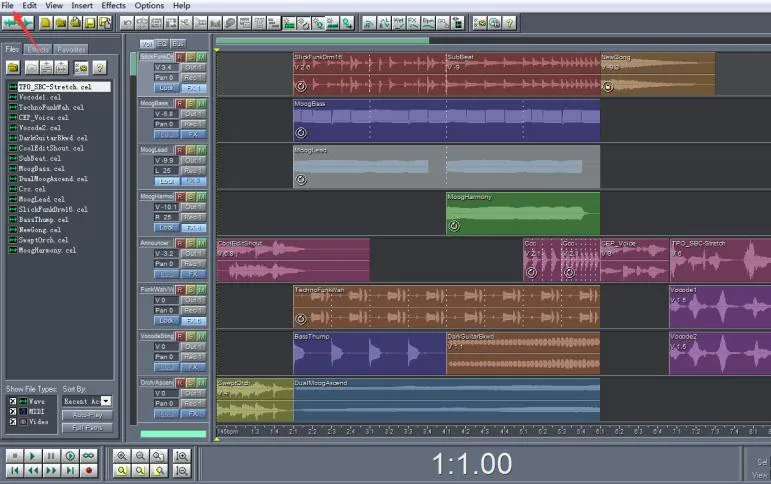
Audio-Bearbeitungsoberfläche

Klicken Sie auf die Wiedergabetaste, um die Audiodatei vorzuhören.

Den gewünschten Audioausschnitt auswählen und kopieren (Strg+C)

Klicken Sie mit der linken Maustaste auf den Startpunkt, ziehen Sie zum Endpunkt und lassen Sie los. Das ausgewählte Segment wird hervorgehoben.
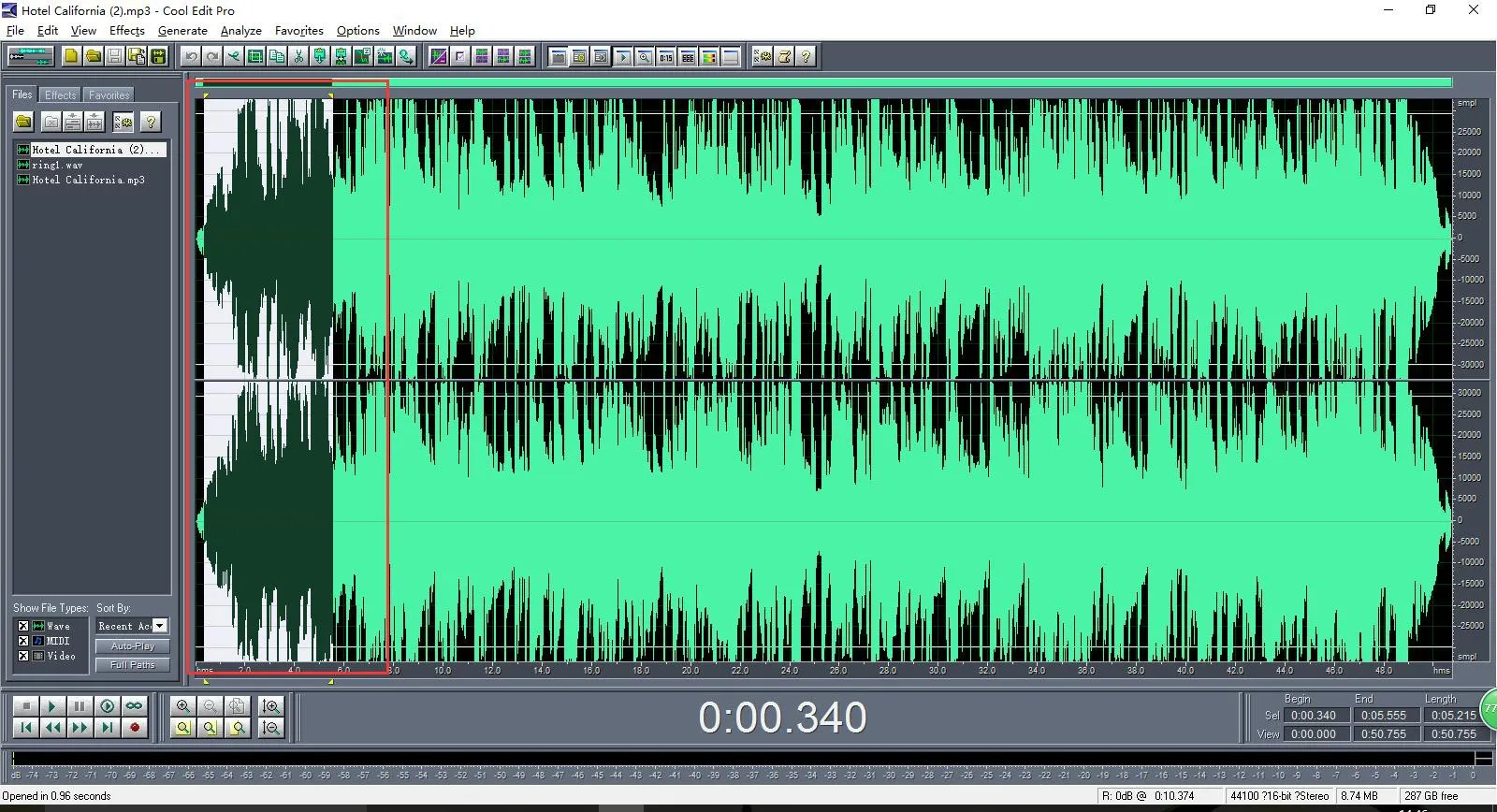
Ausgewählten Audioausschnitt kopieren

Neue Datei erstellen und den Ausschnitt einfügen

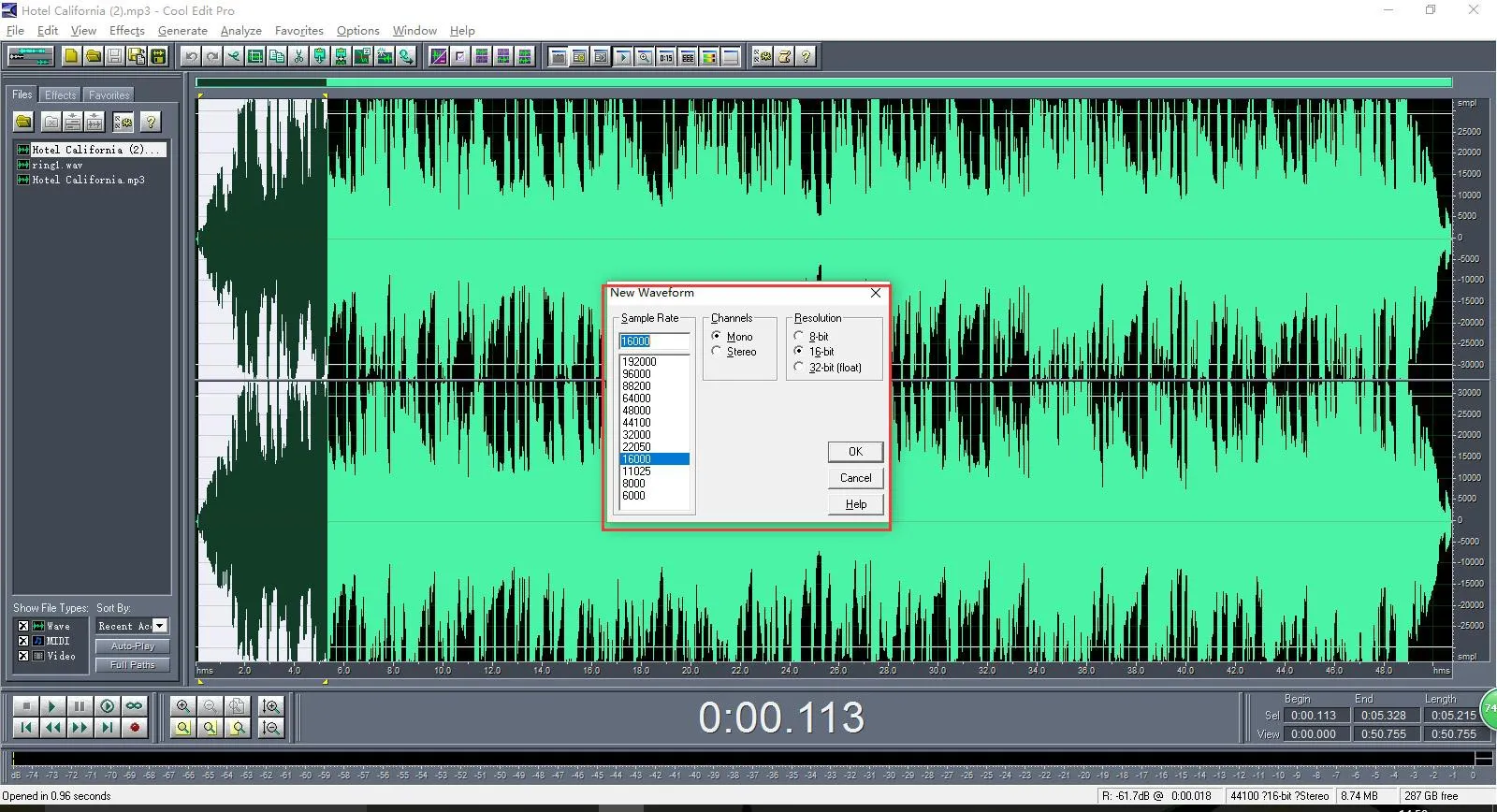
Gehen Sie zu File → New, verwenden Sie diese Parameter:

  • Abtastrate: 8000/16000

  • Kanäle: Mono

  • Auflösung: 16-Bit

Neue Audiodatei erstellen

Klicken Sie auf OK, drücken Sie dann Strg+V, um den Ausschnitt einzufügen. Hören Sie zur Bestätigung vor.
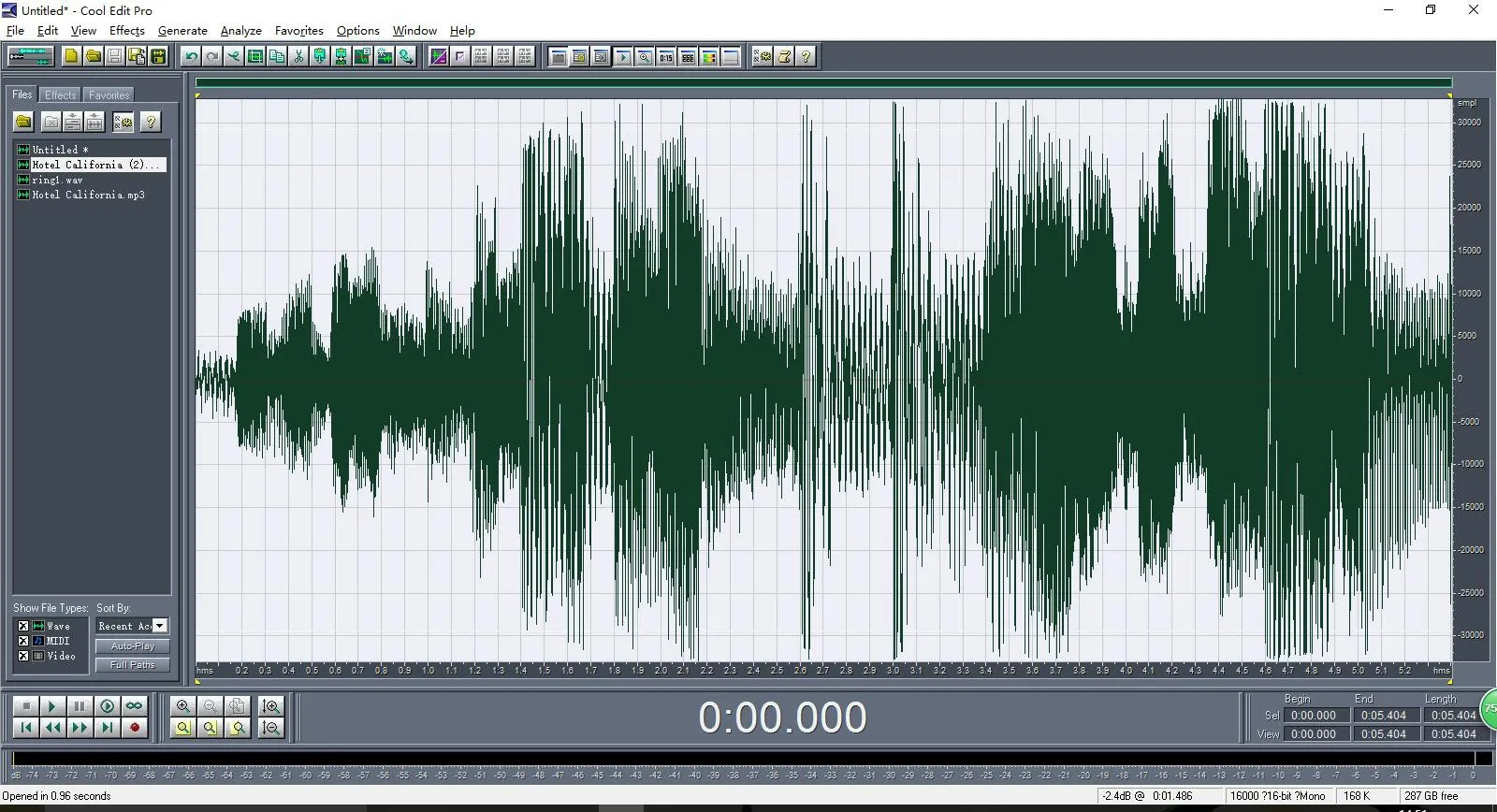
Bearbeitetes Audio bestätigen

Datei exportieren

Gehen Sie zu File → Save As

  • Dateiname: ring1.wav (empfohlen)

  • Speichern als Typ: Windows PCM(*.wav)

Die exportierte Datei ist bereit für die Verwendung als benutzerdefinierter Klingelton für BX3S/BX4.
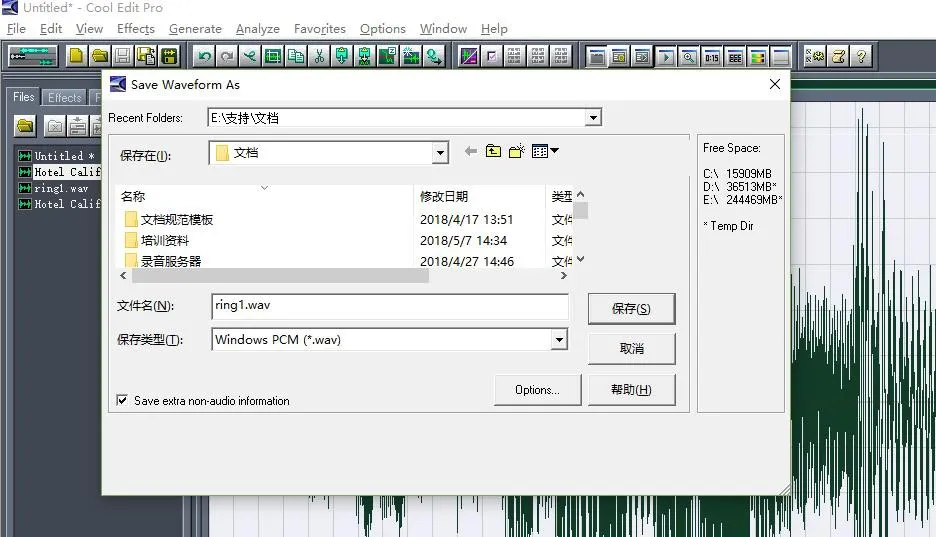
Audiodatei exportieren

Klingelton auf das Telefon importieren (aktualisieren)

Upload-Methode für BX3S/BX4

BX3S/BX4 haben keine eigene Seite für den Klingelton-Upload. Importieren Sie den Klingelton im Bereich der Firmware-Aktualisierung.

Benutzerdefiniertes Klingelton-Upgrade für X3S/X4

Upload-Methode für BX5S/BX6/BX7/BX7C/GP210/GP210i/BX4U/BX5U/BX6U

Diese Modelle haben eine eigene Seite für das Klingelton-Upgrade. Laden Sie Ihre Klingelton-Datei direkt auf der Seite "Upgrade" hoch.
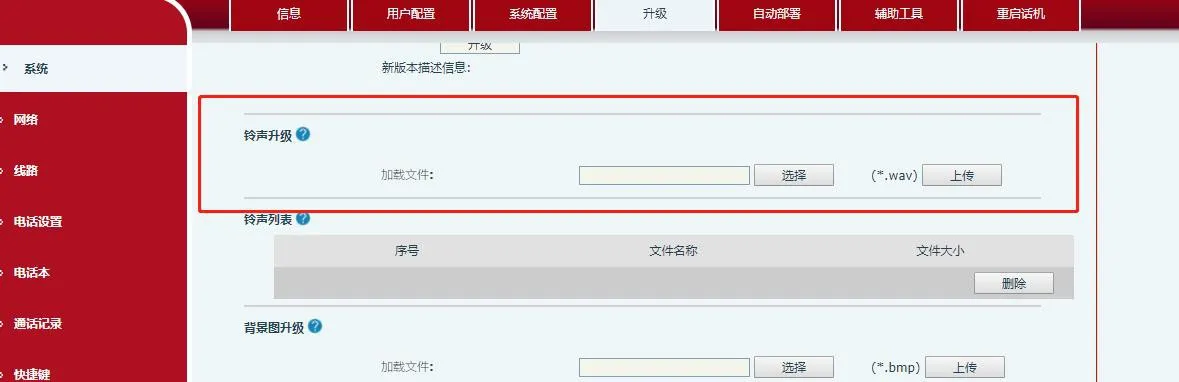
Benutzerdefinierte Klingelton-Upgrade-Oberfläche

Konfiguration

Für eine einzelne SIP-Linie einstellen

Web-Pfad: Account → SIP → Advanced Settings

Ruftonart: Wählen Sie Sound 1
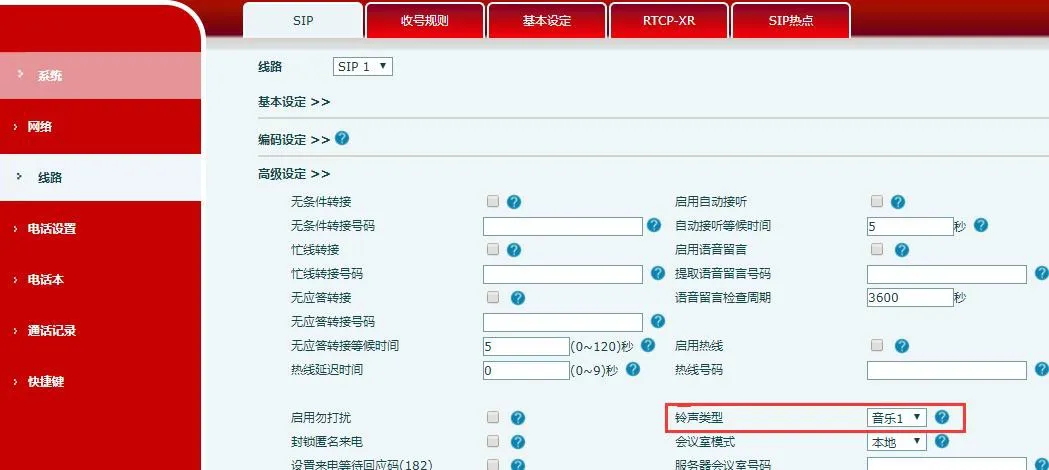
Erweiterte Einstellungen für Leitungsrufton

Für alle Leitungen einstellen (globaler Standard)

Web-Pfad: Phone Settings → Voice Settings

Standard-Ruftonart: Wählen Sie Sound 1
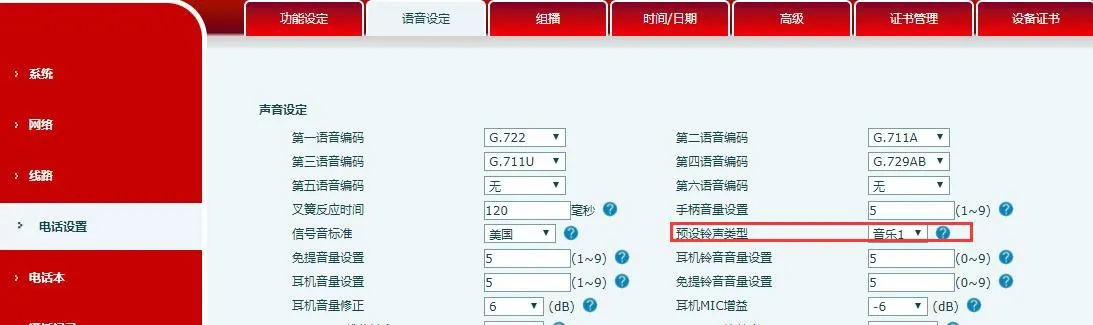
Globale Ruftoneinstellungsoberfläche

Wenn die erweiterte Einstellung der Leitung auf Default gesetzt ist, wird der globale Default Ring Type verwendet.

Katalog
Kundenservice Telefon
We use cookie to improve your online experience. By continuing to browse this website, you agree to our use of cookie.

Cookies

This Cookie Policy explains how we use cookies and similar technologies when you access or use our website and related services. Please read this Policy together with our Terms and Conditions and Privacy Policy so that you understand how we collect, use, and protect information.

By continuing to access or use our Services, you acknowledge that cookies and similar technologies may be used as described in this Policy, subject to applicable law and your available choices.

Updates to This Cookie Policy

We may revise this Cookie Policy from time to time to reflect changes in legal requirements, technology, or our business practices. When we make updates, the revised version will be posted on this page and will become effective from the date of publication unless otherwise required by law.

Where required, we will provide additional notice or request your consent before applying material changes that affect your rights or choices.

What Are Cookies?

Cookies are small text files placed on your device when you visit a website or interact with certain online content. They help websites recognize your browser or device, remember your preferences, support essential functionality, and improve the overall user experience.

In this Cookie Policy, the term &ldquo;cookies&rdquo; also includes similar technologies such as pixels, tags, web beacons, and other tracking tools that perform comparable functions.

Why We Use Cookies

We use cookies to help our website function properly, remember user preferences, enhance website performance, understand how visitors interact with our pages, and support security, analytics, and marketing activities where permitted by law.

We use cookies to keep our website functional, secure, efficient, and more relevant to your browsing experience.

Categories of Cookies We Use

Strictly Necessary Cookies

These cookies are essential for the operation of the website and cannot be disabled in our systems where they are required to provide the service you request. They are typically set in response to actions such as setting privacy preferences, signing in, or submitting forms.

Without these cookies, certain parts of the website may not function correctly.

Functional Cookies

Functional cookies enable enhanced features and personalization, such as remembering your preferences, language settings, or previously selected options. These cookies may be set by us or by third-party providers whose services are integrated into our website.

If you disable these cookies, some services or features may not work as intended.

Performance and Analytics Cookies

These cookies help us understand how visitors use our website by collecting information such as traffic sources, page visits, navigation behavior, and general interaction patterns. In many cases, this information is aggregated and does not directly identify individual users.

We use this information to improve website performance, usability, and content relevance.

Targeting and Advertising Cookies

These cookies may be placed by our advertising or marketing partners to help deliver more relevant ads and measure the effectiveness of campaigns. They may use information about your browsing activity across different websites and services to build a profile of your interests.

These cookies generally do not store directly identifying personal information, but they may identify your browser or device.

First-Party and Third-Party Cookies

Some cookies are set directly by our website and are referred to as first-party cookies. Other cookies are set by third-party services, such as analytics providers, embedded content providers, or advertising partners, and are referred to as third-party cookies.

Third-party providers may use their own cookies in accordance with their own privacy and cookie policies.

Information Collected Through Cookies

Depending on the type of cookie used, the information collected may include browser type, device type, IP address, referring website, pages viewed, time spent on pages, clickstream behavior, and general usage patterns.

This information helps us maintain the website, improve performance, enhance security, and provide a better user experience.

Your Cookie Choices

You can control or disable cookies through your browser settings and, where available, through our cookie consent or preference management tools. Depending on your location, you may also have the right to accept or reject certain categories of cookies, especially those used for analytics, personalization, or advertising purposes.

Please note that blocking or deleting certain cookies may affect the availability, functionality, or performance of some parts of the website.

Restricting cookies may limit certain features and reduce the quality of your experience on the website.

Cookies in Mobile Applications

Where our mobile applications use cookie-like technologies, they are generally limited to those required for core functionality, security, and service delivery. Disabling these essential technologies may affect the normal operation of the application.

We do not use essential mobile application cookies to store unnecessary personal information.

How to Manage Cookies

Most web browsers allow you to manage cookies through browser settings. You can usually choose to block, delete, or receive alerts before cookies are stored. Because browser controls vary, please refer to your browser provider&rsquo;s support documentation for details on how to manage cookie settings.

Contact Us

If you have any questions about this Cookie Policy or our use of cookies and similar technologies, please contact us at support@becke.cc .